Microsoft Teams AI Assistant

Find knowledge, organise information and handle daily tasks in familiar Teams conversations, with access configured for your enterprise data and permissions.

24/7Respond to inquiries and tasks at any time
SecondsQuickly retrieve corporate knowledge
ConnectedIntegrate internal data sources
TeamsUse directly in conversations

core competencies

Using Microsoft Teams as the enterprise AI portal brings knowledge query, content organization, and process assistance closer to daily work methods.

Real-timeAI
Team Assistant

Instant AI Assistant

Respond to common queries, organize information, and help your team with repetitive tasks in Teams.

  • Answer frequently asked questions within the company
  • Query the contents of files within the authorization scope
  • Reduce repeated searches and inquiries

Context
Context

Conversation and document integration understanding

Combine conversation context with corporate documents to make responses more relevant to what your team is working on.

  • Understand the context of the issue in the current conversation
  • Links to relevant documents and sources
  • Reduce information gaps and repeated queries
Meetings
Meeting

Meeting summaries and action items

Organize key points, decisions and to-do items according to meeting minutes or conversation content to facilitate follow-up after the meeting.

  • Organize meeting key points and decision-making content
  • Extract to-do items and responsible persons
  • Support post-meeting tracking and updates
Automation
Workflow

Conversational task processing

Designed with enterprise processes in mind, Teams conversations can help create tasks, submit requests, or trigger internal processes.

  • Organize messages into tasks or to-dos
  • Connect approval and process operations according to permissions
  • Reduce repetitive manual entry
Insights
Analytics

Usage and process insights

Track AI usage and common queries to help teams understand needs and optimize workflows.

  • Understand common queries and usage scenarios
  • Identify knowledge gaps and process bottlenecks
  • Support subsequent optimization and maintenance
Enterprise
Security

Enterprise security and access control

Comply with Microsoft 365 permissions and existing enterprise security requirements to control the scope of data that AI can access and respond to.

  • Compatible with existing permission settings
  • Limit the range of data that can be queried
  • Support audit and governance requirements
Enterprise Knowledge Assistant
Chat
What is the company's reimbursement process?
11:15 AM
Enterprise Knowledge Assistant
The reimbursement process is as follows:
1. Submit application form
2. Upload receipt
3. Issued after approval by supervisor
11:15 AM
Where are the relevant documents?
11:16 AM
Enterprise Knowledge Assistant
I have found the "Financial Reimbursement Guidelines.pdf" for you, do you need to open it?
11:16 AM
Work Interface

Find answers and get work done in a conversation

Converse with AI directly in Teams, query corporate knowledge, organize information, and assist with daily tasks, reducing system switching and repeated searches.

  • Simple operation: Ask a query or job request using natural language
  • Quick search: Instant access to corporate documents and knowledge content
  • Integrate into workflow: Work directly within your existing Teams environment
Enterprise AI Integration
Enterprise Integration

Integrate corporate information and establish a unified knowledge portal

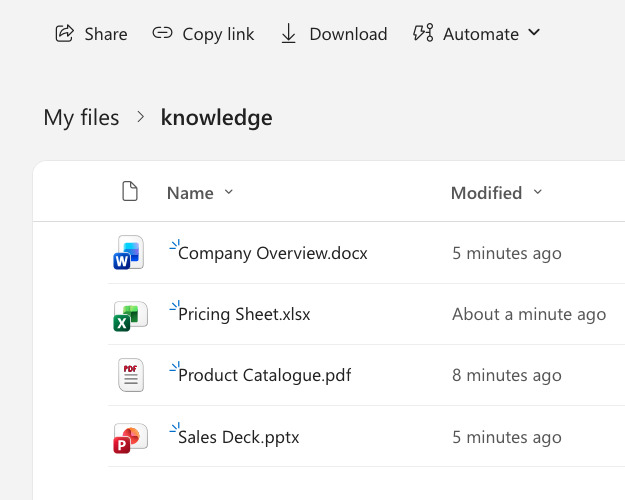
Connect Teams, SharePoint, OneDrive and other internal data sources to turn scattered documents into searchable knowledge, according to your enterprise environment.

  • Multi-format support: Index PDFs, Office files and internal pages
  • Cross-system query: Search multiple sources at once
  • Synchronization mechanism: Design update methods based on data sources and security requirements

Use cases

In Microsoft Teams, let AI assist different organizations in completing daily inquiries, collaboration and task processing

Enterprise

Large enterprises and cross-department collaboration

Integrate documents and data scattered in different departments, allowing employees to query and process work in Teams.

  • Cross-department document and knowledge query
  • Support internal processes and approval operations
  • Reduce repetitive communication and information search time
  • Comply with enterprise permissions and security requirements
Startup / SME

New Entrepreneurship and Efficiency Improvement of Small and Medium Enterprises

Start with a clear knowledge inquiry or collaboration scenario and assist the team in handling daily inquiries and tasks.

  • Respond to internal FAQs
  • Meeting summaries and action items
  • Start importing from a single scene first
  • Elastically expand as your team grows
Education

Educational Institutions and School Affairs Support

Assist teachers and students to search for information and process school information, reducing the burden of administrative and teaching inquiries.

  • Course and textbook content inquiry
  • School Affairs Information and Process Guide
  • Automatic replies to frequently asked questions
  • Support teaching and research data collection
Healthcare

Medical team and administrative collaboration

Assist medical and administrative teams to quickly obtain information and handle daily processes.

  • Medical Guidelines and Document Inquiry
  • Administrative process and scheduling support
  • Cross-team information synchronization
  • Comply with data security and permission control

Three Steps to Planning Teams AI Assistant

First confirm the data source, permissions and usage scenarios, and then gradually integrate AI into the Teams workflow

01

Connect company profile

Take inventory of Teams, SharePoint, OneDrive and internal files to identify the data sources that AI needs to access.

02

Set permissions and scope

Define what AI can read, usage roles, and response boundaries to ensure compliance with enterprise security and actual needs.

03

Use AI in conversations

Let the team query information, organize content in Teams conversations, and gradually add task processing capabilities according to process needs.

FAQ

Instructions for deploying and using Microsoft Teams AI Assistant

How long does it take to start using it?
The time depends on the data source, permission settings and integration scope. If you start with a single knowledge base or a clear process, you can usually complete an initial version quickly and then gradually expand it.
Does it support Chinese and multiple languages?
Supports multiple languages such as Traditional Chinese, Simplified Chinese and English, and can perform cross-language understanding and query.
Can AI be customized according to business needs?
Yes. AI's knowledge sources, response methods, executable tasks and human intervention conditions can all be designed according to actual business processes.
Can it be integrated with Microsoft 365 or other systems?
Supports integration with SharePoint, OneDrive, Outlook, etc., and can also connect to CRM, ERP or internal systems through API.
How does AI ensure data access?
It can cooperate with the existing permission logic of Microsoft 365 and the enterprise to limit the range of data that can be queried by different roles to prevent AI responses from exceeding the user's authorized content.
How to ensure data security and privacy?
Appropriate deployment, data processing and access control methods can be selected according to enterprise requirements, and can be designed in conjunction with auditing, recording and security policies.
How do you know if an AI response is reliable?
It can cooperate with AI response evaluation and system monitoring to track answer quality, frequently asked questions, exceptions and usage records, allowing the team to continuously improve system performance.

Start importing AI from a Teams work scene

First clarify the data, permissions and process requirements, and then design an AI assistant suitable for daily use by the team